
Client-Facing Agent UIs
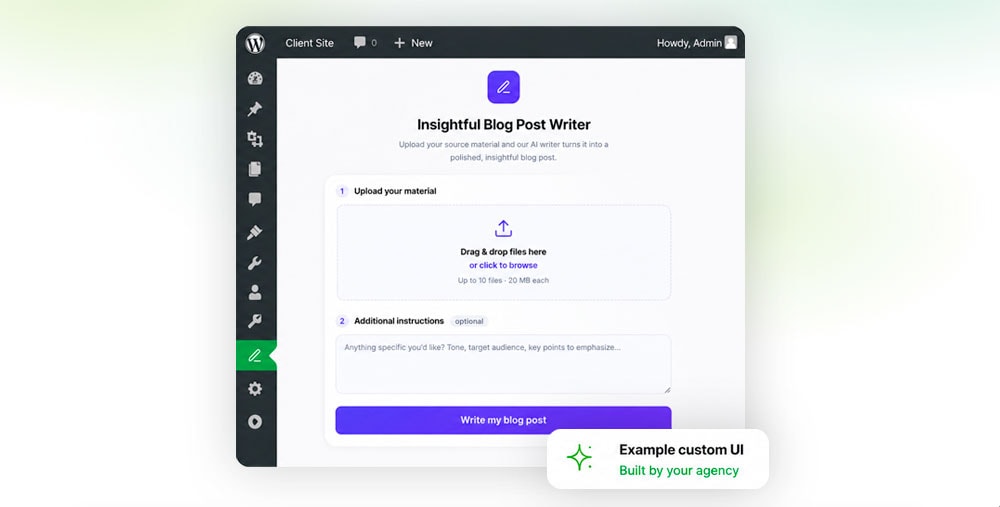
WP Godmode agents can be exposed to clients through a branded WordPress admin interface. Instead of giving clients access to the full WP Godmode workspace, agencies can build a focused plugin page or dashboard widget that triggers one approved agent workflow.
What it does
A client-facing agent UI turns a repeatable agency workflow into a simple WordPress admin tool. Clients can upload source material, fill in a few fields, and run a controlled process such as importing a blog post, creating content, updating products, or managing team profiles.
The interface can use the agency’s own branding, wording, colors, and permissions. The client sees a clean agency-built tool, while the agent handles the structured work behind the scenes.
Before you start
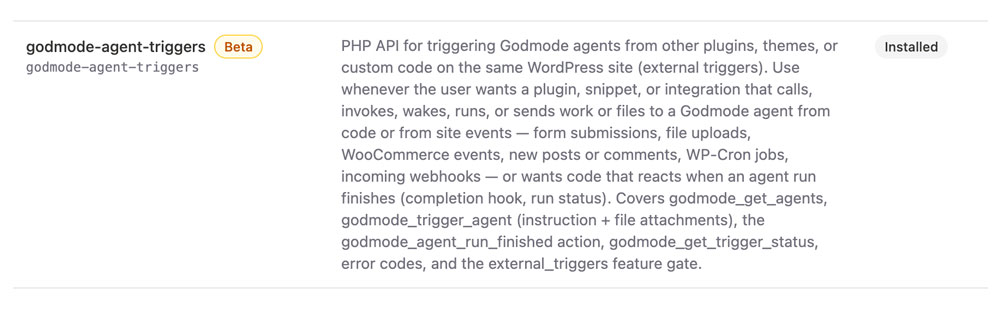
Make sure the godmode-agent-triggers skill is installed under Godmode > Skills. It enables custom code on the same WordPress site to trigger approved agents from a plugin, dashboard widget, snippet, integration, or site event.
How to build one
- Create the agent in WP Godmode. Define exactly what it should do, what input it needs, and what rules it must follow.
- Test the agent in chat until the workflow is reliable. For example: create Gutenberg drafts from Word documents, assign categories, add featured images, and suggest internal links.
- Ask WP Godmode to build the client UI, for example: Build a plugin or dashboard widget that triggers my agent “Blog Importer”.
- Add UI requirements such as fields, labels, helper text, agency branding, role access, and optional screenshot-based design direction.
- Restrict access to the right users or roles, such as editors, shop managers, or content teams.
Common use cases
- Blog importers that turn client documents into Gutenberg drafts.
- Content writers that create posts from a short client brief.
- WooCommerce tools for product descriptions, metadata, and updates.
- Team member managers for structured staff profile creation.
- Documentation, FAQ, or page update workflows for recurring content work.
Access and branding
Agencies can decide who sees the interface and what each role can do. The UI can be shown only to selected WordPress roles, while technical settings remain hidden from the client.
This makes agent workflows easier to sell, easier to repeat, and easier for clients to use without exposing the underlying implementation.