How to build an AI Agent That Turns Word Documents into WordPress Posts
In this WP Godmode tutorial, I show how to build an AI agent that turns Microsoft Word documents into fully formatted WordPress posts.
Word documents to WordPress, without copy and paste
The workflow imports a Word document, lets the agent process the content, and creates a ready-to-edit WordPress blog post from it. This is useful when you publish content at scale, work with client documents, or want to remove repetitive formatting work from your publishing process.
The frontend shown in the video is built in WordPress with the Breakdance Builder. The automation itself runs through WP Godmode, connected to Claude or ChatGPT, with ACF Pro available for structured post data where needed.
Tech stack
- WordPress
- Breakdance Builder
- ACF Pro
- WP Godmode connected to Claude or ChatGPT
Agents can also be shared with clients
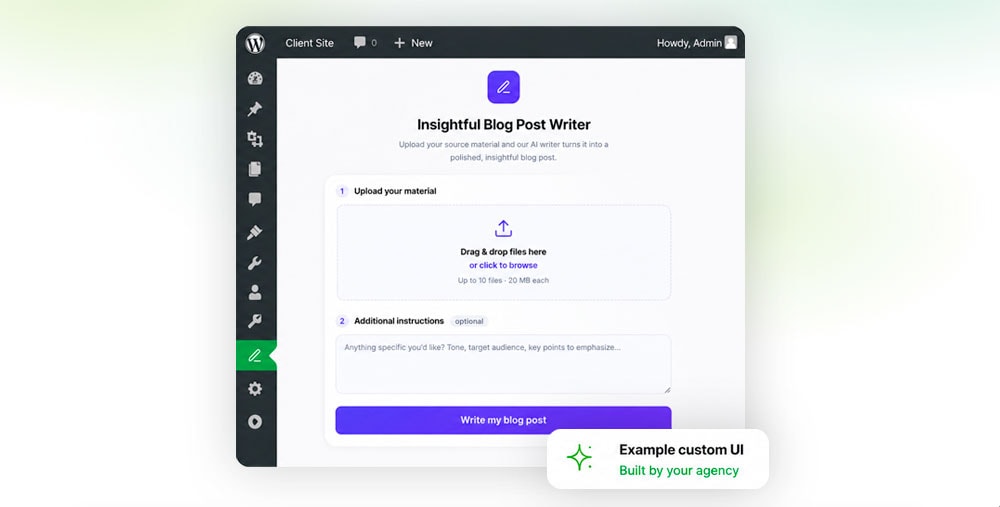
The same idea does not have to stay inside your own admin workflow. A WP Godmode agent can also be exposed to clients through a focused plugin or dashboard widget, so they can run a specific automation without seeing or editing the full agent setup.
That means a Word-to-WordPress importer can become a simple client-facing tool for creating posts, importing documents, or handling structured content tasks from inside WordPress. Read the follow-up tutorial: How to Build an AI-Powered Plugin or Widget for Your Clients.